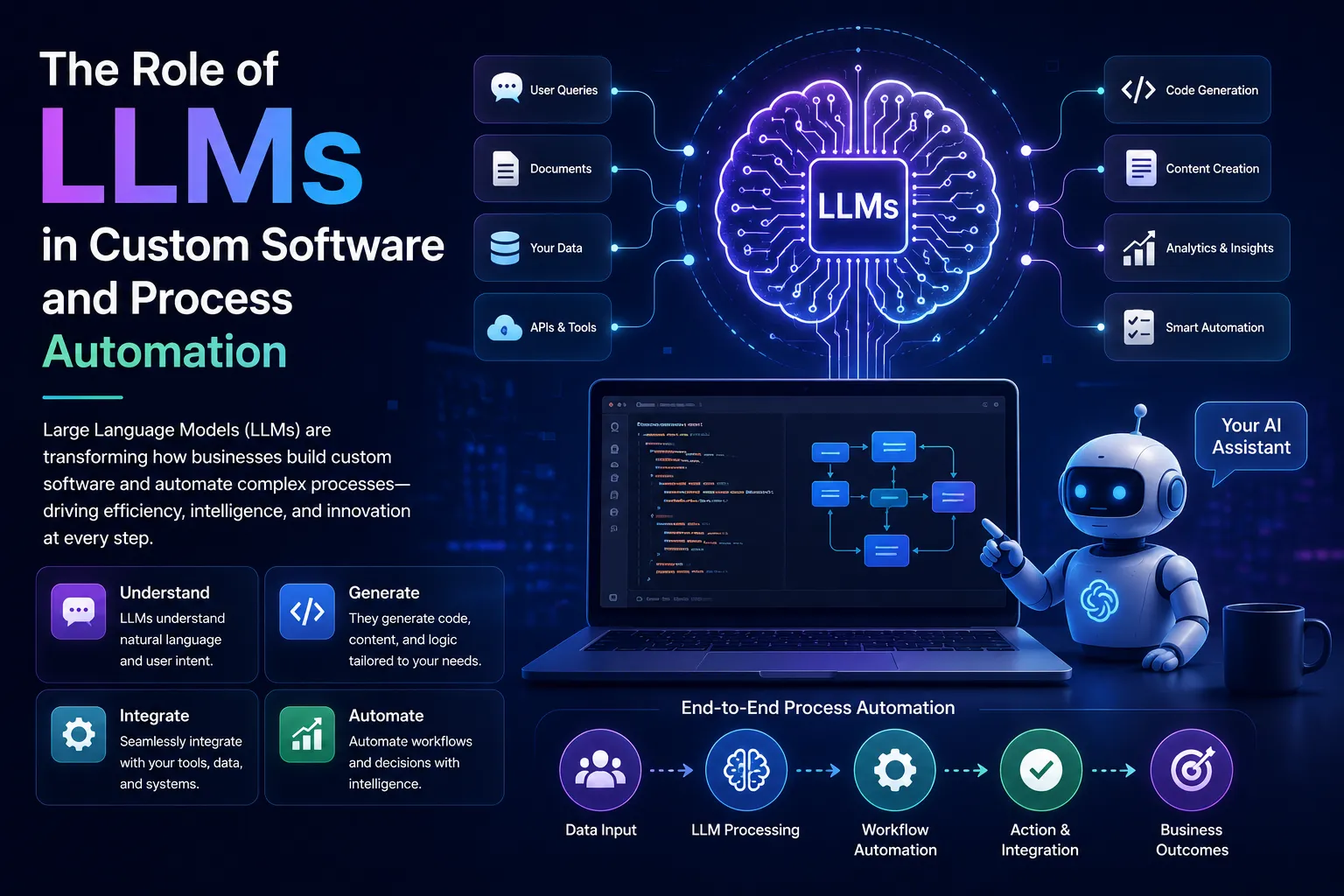
For years, business automation followed a simple pattern: define a rule, connect two systems, and trigger an action. This worked well for predictable tasks such as moving form data into a CRM, sending reminders, or generating invoices.
The problem starts when a process depends on language, context, judgment, or incomplete information. A conventional workflow can check whether a field is empty, but it cannot easily understand a long customer message, compare contract clauses, summarize a technical incident, or decide which internal team should handle an unusual request.
LLMs in Custom Software are changing what software can do with unstructured information. They can interpret text, generate useful responses, extract meaning, and support decisions inside existing workflows. Their real value is not limited to chatbots. It appears when language understanding becomes part of a custom application or business process.
This shift gives software teams a new design question. Instead of asking only, “Which steps can we automate?” they can ask, “Which parts of this process require understanding, and where should a model assist a person or system?”
What LLMs in Custom Software Add to Traditional Software
Traditional software is strongest when inputs are structured and rules are clear. A payroll system calculates salaries from known fields. An inventory system updates stock after a sale. A workflow engine routes a request when a status changes.
LLMs are useful when the input does not arrive in a neat format. A support ticket may contain several issues in one paragraph. A sales inquiry may mention budget, timeline, technical needs, and concerns without using standard labels. A legal document may express the same obligation in many different ways.
An LLM can turn this material into structured output that other software can use. It may identify the customer’s intent, extract named entities, summarize the request, classify urgency, or draft a response. Once the output is structured, normal business rules can take over.
This creates a practical division of labor:
- The LLM interprets language and context.
- Business logic checks rules and permissions.
- Connected systems execute approved actions.
- People review cases that carry risk or uncertainty.
The model is not the whole product. It is one component inside a wider software design.
How LLMs in Custom Software Enable Embedded Intelligence
Many early LLM projects started with a chat window. Chat is familiar, flexible, and easy to demonstrate. Yet users do not always want another place to type questions. In many cases, the better experience is an AI-assisted feature inside the tool they already use.
A project management platform can summarize a week of updates before a meeting. A CRM can turn a call transcript into action items and suggested follow-ups. A service desk can classify tickets and prepare response drafts. A procurement system can compare vendor proposals against a defined checklist.
The user may never see a chatbot. The model works quietly inside the process.
This embedded approach can be more useful because it reduces context switching. It also lets the product team control what data the model receives, what output format it must follow, and what actions are allowed after the model responds.
Where LLMs in Custom Software Deliver the Greatest Value
LLMs are most useful when they solve a defined problem rather than being added as a general-purpose feature. Several patterns appear across business applications.
Natural Language Search
Employees often know that information exists but do not know where it is stored. It may be spread across policies, tickets, product documents, meeting notes, and internal wikis.
An LLM-powered search feature can accept a question in plain language, retrieve relevant material, and produce an answer grounded in those sources. This is commonly built with retrieval-augmented generation, where the system searches an approved knowledge base before asking the model to answer.
The source material matters more than a clever prompt. Teams need clear document ownership, access controls, update routines, and citations that let users inspect where an answer came from.
Document Processing
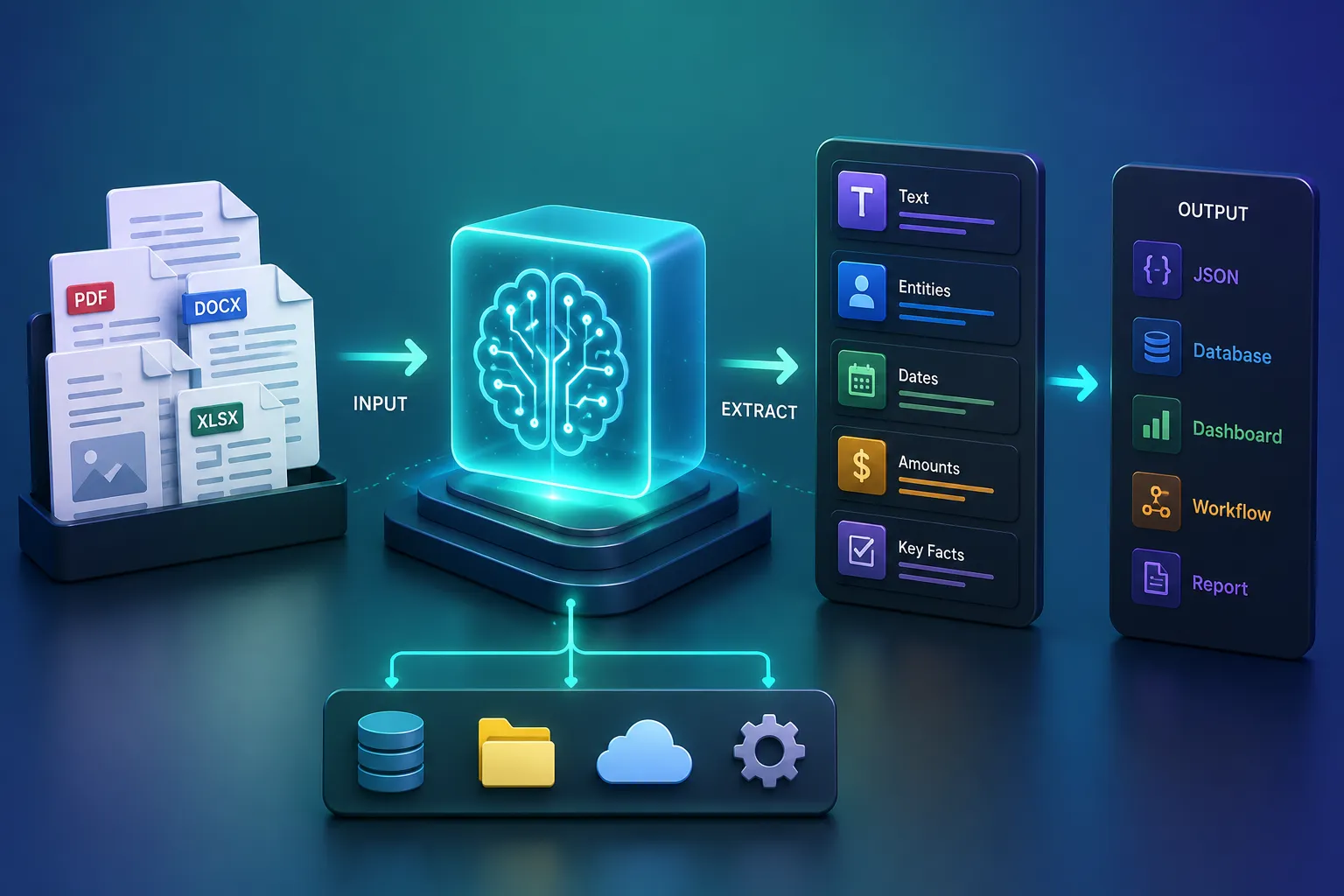
Businesses receive large volumes of text-heavy files, including contracts, claims, invoices, applications, reports, and compliance records. Manual review is slow, while fixed templates break when layouts or wording change.
LLMs can help identify document types, extract key facts, compare clauses, flag missing information, and create short summaries. The output can then move into a case-management tool or approval queue.
High-risk documents still need human review. The useful gain comes from reducing reading time and bringing important details to the reviewer’s attention.
[Insert section image: AI document analysis or document processing workflow]
Customer Support
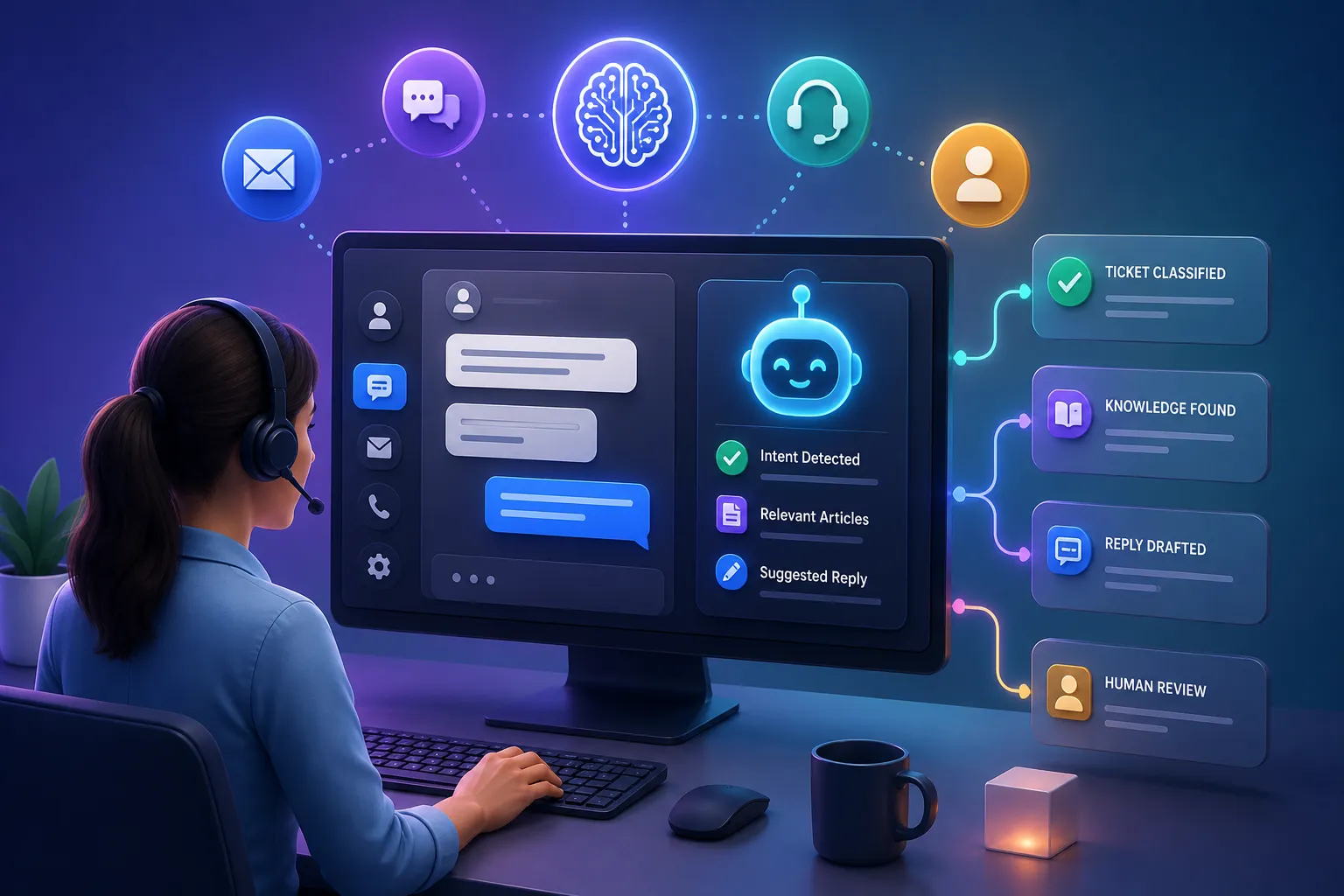
Support teams spend time reading long conversations, identifying the issue, finding relevant guidance, and writing a clear answer. An LLM can assist at each stage.
It can summarize the conversation, detect sentiment, classify the request, retrieve a help article, and draft a reply. The agent can then edit and approve the response.
This setup works best when the model supports the service team rather than acting without limits. Sensitive account changes, refunds, legal complaints, and security issues should follow fixed rules and defined approval paths.
Developer Workflows
Software teams can use LLMs to explain unfamiliar code, draft tests, convert requirements into technical tasks, summarize pull requests, and create first-pass documentation.
These tools can speed up routine work, but generated code still needs review. A plausible answer may contain a security flaw, rely on an outdated library, or miss a requirement that was not present in the prompt.
The strongest pattern is assisted development: the model produces a starting point, and an engineer checks behavior, security, maintainability, and fit with the wider system.
[Insert section image: software developer using an AI coding assistant]
How LLMs in Custom Software Improve Process Automation
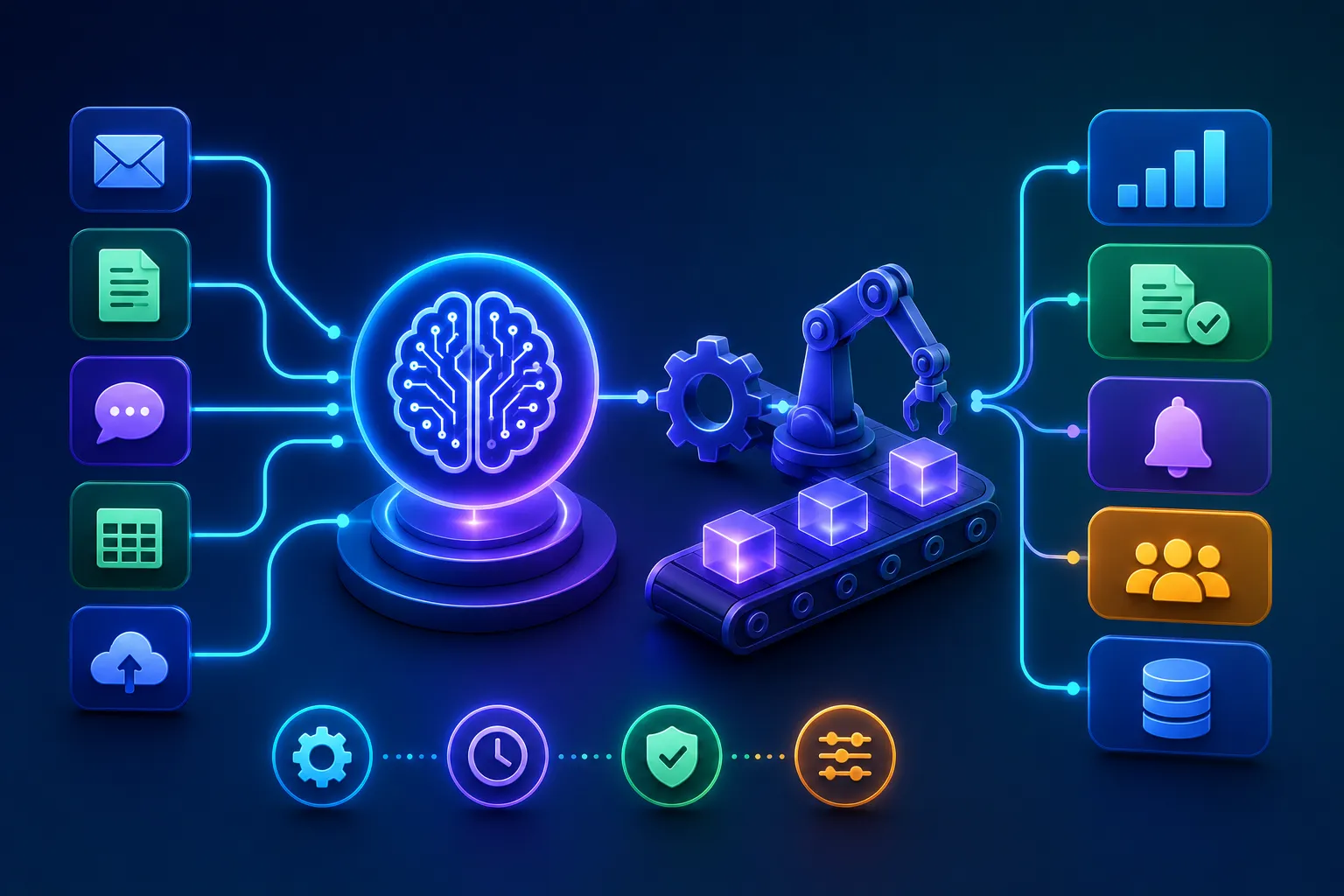
Rule-based automation works best when each branch can be defined in advance. LLMs extend automation into processes where the next step depends on meaning.
Consider a shared customer email inbox. A basic system might route messages by keywords. This fails when customers use unexpected wording or discuss several topics at once.
An LLM-assisted workflow can read the message, identify the main request, extract order details, estimate urgency, and suggest a destination team. A rules layer can then check customer status, data permissions, and service policies before creating a ticket.
The same pattern can support employee onboarding, insurance claims, loan document review, vendor assessment, sales qualification, and incident management.
For a related view of autonomous systems in engineering operations, DJDesignerLab’s article on agentic AI for modern platform engineering explains how AI agents can observe systems, interpret events, and support operational decisions.
Designing Reliable LLMs in Custom Software Workflows
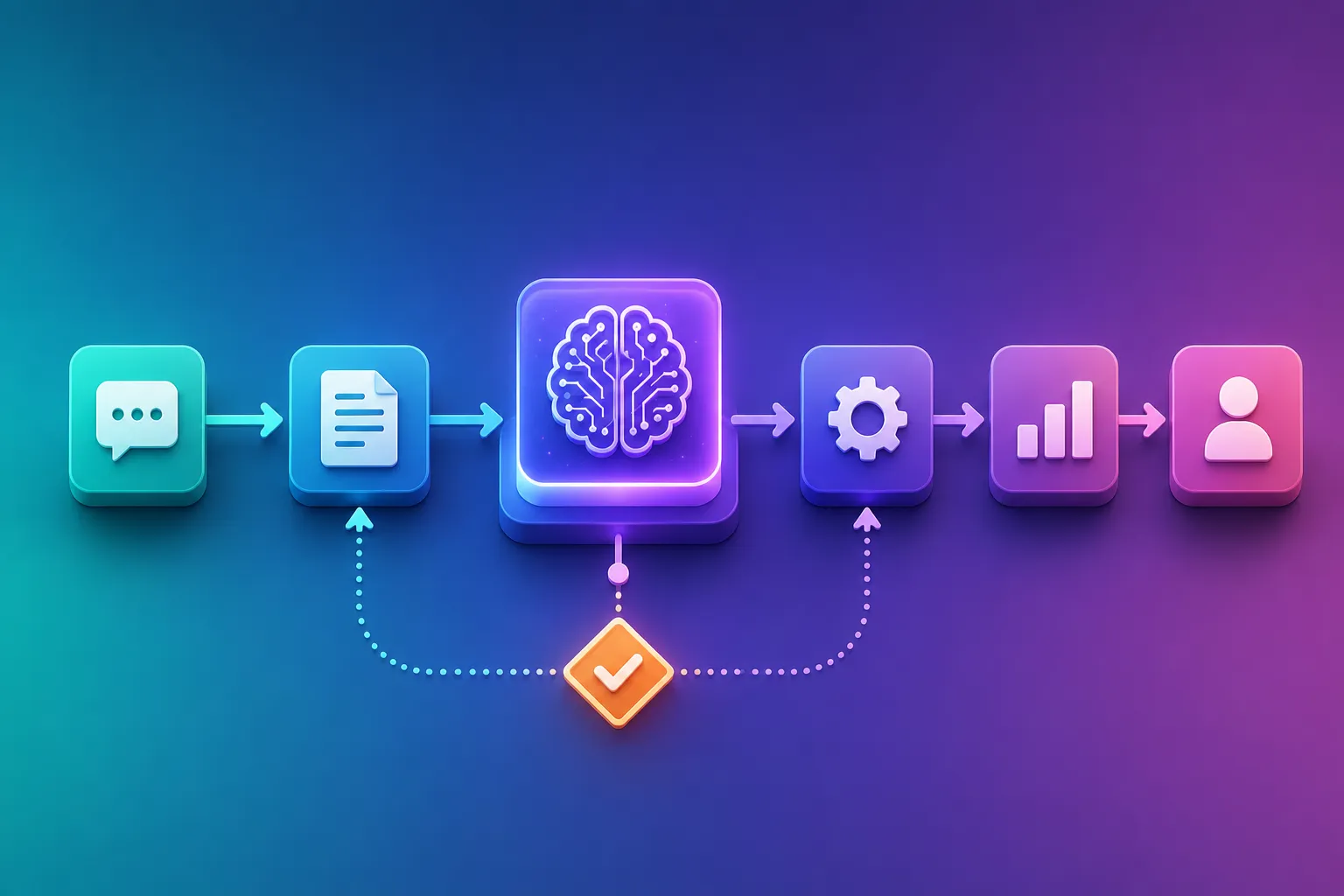
A useful workflow starts with process design, not model selection. Teams need to understand the current work, its failure points, and the consequences of a wrong answer.
Start With a Narrow Task
“Automate customer service” is too broad. “Draft a response for password-reset tickets using approved help content” is specific enough to test.
A narrow task has measurable inputs and outputs. It is easier to create evaluation examples, identify failure cases, and decide when a person should step in.
Map the Decision Boundary
The model should not decide everything. Teams need to separate language tasks from business decisions.
A model may classify an expense description, but a policy engine should decide whether the expense is allowed. A model may summarize a contract, but an authorized reviewer should approve the terms. A model may suggest a support category, but account access should remain controlled by verified rules.
This boundary protects the process from unpredictable model output.
Use Grounded Context
An LLM cannot know a company’s latest policies, product details, customer records, or internal terminology unless the application supplies that context.
Grounding may come from document retrieval, database queries, APIs, or structured workflow data. The system should pass only the information needed for the task and respect user permissions.
When the model answers from internal documents, the interface should show sources where possible. This helps users verify the answer and builds trust in the feature.
Require Structured Output
Free-form text is difficult for software to process. Production workflows often need predictable fields such as category, urgency, summary, confidence, and recommended action.
Teams can ask the model to return a fixed schema, then validate the result before using it. Invalid or incomplete output should trigger a retry, fallback rule, or human review.
Validation turns a model response into safer application data.
Plan for Human Review
Human review is not a sign that automation failed. It is a control point.
Teams can route cases for review based on risk, model confidence, customer value, unusual language, or the action being requested. Low-risk drafts may need a quick approval, while sensitive cases may require a specialist.
The interface should make review easy. Show the original input, the generated output, source material, and the action that will follow approval.
Evaluate With Real Examples
A few successful demos do not prove that a workflow is ready. Teams need a test set based on real process variations.
The set should include common requests, vague language, missing data, contradictory instructions, unusual formats, and attempts to manipulate the model. Reviewers can score accuracy, completeness, source use, tone, and policy compliance.
Testing should continue after launch because source documents, user behavior, and model versions can change.
[Insert section image: connected AI workflow with review and approval steps]
Common Mistakes When Building LLMs in Custom Software
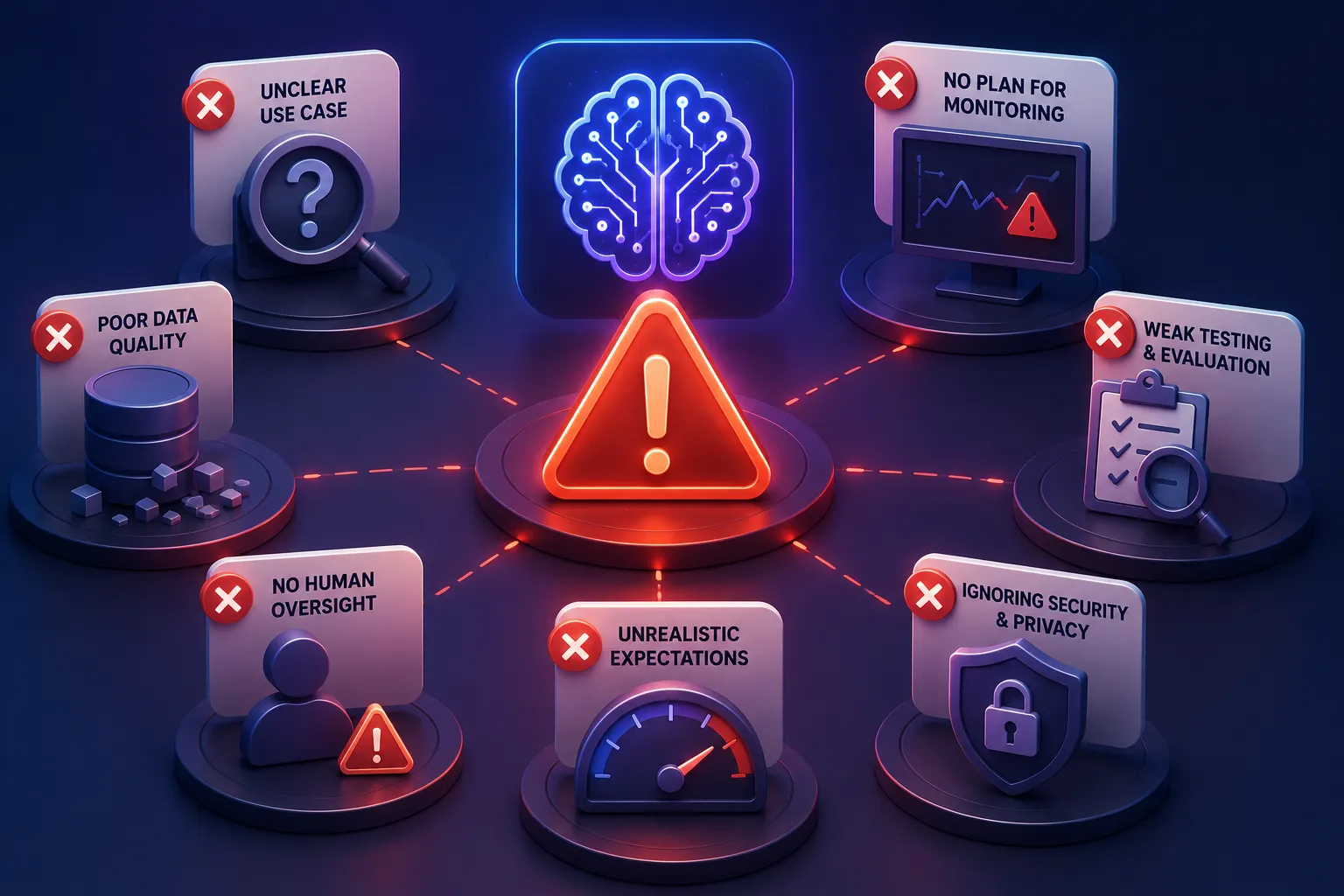
Many LLM projects struggle for reasons that have little to do with model quality.
Choosing a Model Before Defining the Problem
Teams sometimes select a popular model and then search for a use case. This often creates a polished demo with no clear business value.
A better starting point is a process with high reading effort, repeated language tasks, long response times, or frequent handoff errors. The team can then compare model options against real requirements.
Sending Too Much Context
More context is not always better. Large prompts raise cost, slow responses, and may distract the model with irrelevant material.
The application should retrieve the smallest useful set of records or document sections. Clear context selection often improves output more than adding longer instructions.
Ignoring Data Permissions
An AI feature must respect the same access rules as the rest of the application. A user should not receive information through an LLM that they could not open directly.
Permission checks need to happen before data enters the prompt and before the answer reaches the user. Logs should also avoid exposing confidential text.
Automating High-Risk Actions Too Early
It is tempting to connect a model directly to email, payments, account controls, or production systems. This creates risk when the model misunderstands a request or follows malicious instructions hidden in content.
Early releases should favor suggestions, drafts, and review queues. Direct actions can be added later for narrow cases with strong checks.
Treating Launch as the Finish Line
LLM workflows need ongoing evaluation. Teams should track correction rates, rejected suggestions, response time, cost, user feedback, and the types of cases sent to people.
These signals show where prompts, retrieval, rules, or user experience need adjustment.
A Practical Adoption Path for LLMs in Custom Software
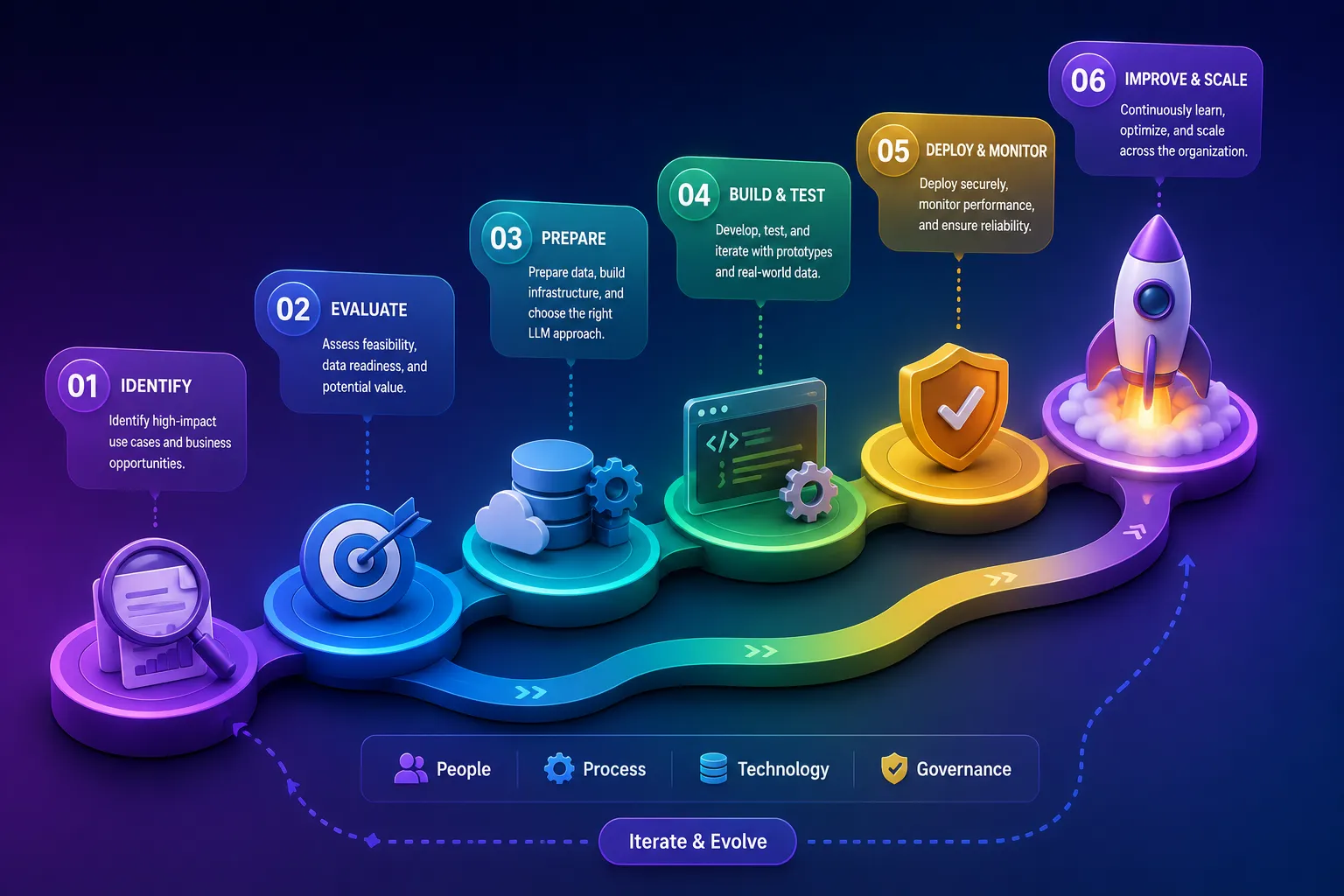
Organizations do not need to rebuild every system around AI. A staged approach is safer and easier to measure.
First, identify a process with repeated text work and a clear owner. Collect representative examples and define what a good output looks like. Build a limited assistant that produces drafts or classifications. Test it with the people who perform the work. Add retrieval, validation, and approval controls. Measure whether it reduces effort without lowering quality.
Planning also needs input from product, engineering, security, legal, and operations. Experienced AI consulting services can help teams assess use cases, data readiness, technical choices, and governance before a larger build-out.
The goal is not to place an LLM in every workflow. It is to use language intelligence where it removes a real constraint.
Future of LLMs in Custom Software
LLM features are moving from isolated assistants toward systems that can work across tools. A model may interpret a request, retrieve records, call an approved service, update a workflow, and prepare a summary for review.
This does not remove the need for conventional software engineering. It makes architecture, permissions, testing, observability, and user experience more important.
The most useful products will combine three strengths: the flexibility of language models, the predictability of business rules, and the judgment of people. Each handles a different part of the process.
Software teams that keep these roles clear can build AI features that feel practical rather than decorative. The result is not automation for its own sake. It is software that understands more of the work people are already trying to complete.
Building Successful LLMs in Custom Software
LLMs expand the range of tasks that custom software can support. They can read, summarize, classify, extract, and draft across many forms of business content. Their value becomes clearer when those abilities are placed inside a defined process with good data, strict controls, and meaningful human oversight.
The best starting point is usually small: one workflow, one user group, one measurable problem. From there, teams can learn where the model helps, where rules are better, and where a person must remain responsible. Many organizations also combine LLM-powered workflows with AI Chatbot Solutions to automate customer support, streamline internal communication, and improve operational efficiency across business processes.
That approach produces something more useful than an impressive demo. It produces software that fits the way the business actually works.